Berrytap дээр эхлэх: community-гээ өнөөдөр нээ
Мэдлэг, контент, сонирхлоо тойруулан төлбөртэй community үүсгээд эхний гишүүдээ хэдхэн минутын дотор урина. Карт шаардлагагүй, техникийн мэдлэг ч хэрэггүй.
Berrytap дээр өөрийн мэдлэг, контент, сонирхлоо тойруулсан төлбөртэй community нээх нь энгийн. Коуч, багш, контент бүтээгч аль нь ч бай, энэ гарын авлага бүртгэл үүсгэхээс эхлээд эхний орлогоо гар дээрээ авах хүртэлх бүх алхмыг тайлбарлана.
berrytap.com/register дээр бүртгүүлнэ үү
berrytap.com/register хаяг руу орж и-мэйл, нууц үгээрээ бүртгүүлнэ үү. Эсвэл Google-ээр нэг товшилтоор нэвтэрч болно. Бүртгүүлмэгц Berrytap таны хаягийг баталгаажуулах и-мэйл илгээнэ. Дотор нь байгаа холбоос дээр дарж бүртгэлээ идэвхжүүлээрэй. Энэ үед карт шаардлагагүй.
Community-гээ үүсгэнэ үү
И-мэйлээ баталгаажуулсны дараа эхний community-гээ үүсгэх санал ирнэ. Нэрээ өгч, чиглэлдээ хамгийн тохирох ангиллыг сонгоод, cover зураг оруулж, зочид юу санал болгож байгааг тань шууд ойлгохоор богино тайлбар бичээрэй.
Мөн энэ алхамд улсаа сонгоно. Монголыг сонгосон бүтээгчид QPay-ээр төлбөр авч, үнээ төгрөгөөр тогтооно. Энэ сонголт таны цаашдын бүх гүйлгээний хэлбэрийг тодорхойлно.
Community-н улс болон төлбөрийн хэлбэр үүсгэх үед тогтдог бөгөөд дараа нь өөрчлөгдөхгүй. Үргэлжлүүлэхээсээ өмнө зөв улсаа сонгосон эсэхээ шалгаарай.
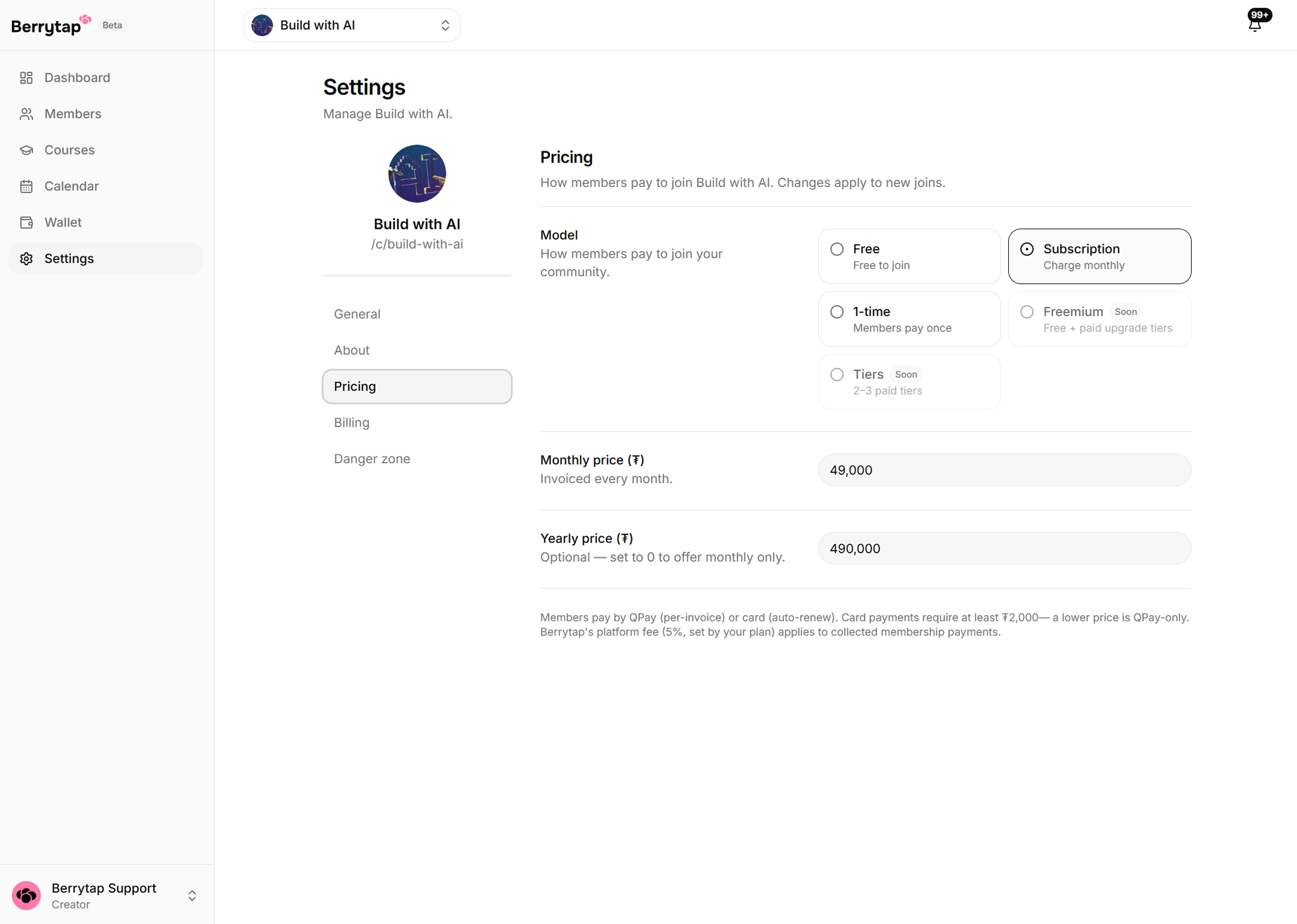
Үнээ тохируулна уу
Гишүүд community-д тань хэрхэн төлж нэгдэхийг сонгоно уу:
| Үнийн загвар | Утга |
|---|---|
| Үнэгүй | Хэн ч төлбөргүй нэгдэнэ. Үзэгчдээ цуглуулахад тохиромжтой |
| Сарын гишүүнчлэл | Гишүүд сар бүр төгрөгөөр тогтмол төлбөр төлнө |
| Жилийн гишүүнчлэл | Сарын үнийн 10 дахин. Гишүүд 2 сарыг үнэгүй авна |
| Нэг удаагийн төлбөр | Гишүүд нэг удаа төлөөд бүрмөсөн нэвтрэх эрхтэй болно |
Үнээ community-н тохиргооноос хүссэн үедээ өөрчилж болно.
Эхний контентоо нэмнэ үү
Холбоосоо хуваалцахаасаа өмнө шинэ гишүүдэд үзэх зүйл бэлдээрэй. Өөрийгөө танилцуулсан, гишүүд юу хүлээж болохыг тайлбарласан угтах нийтлэл feed дээрээ оруулаарай. Курс хийхээр төлөвлөж байгаа бол Courses таб руу орж эхний модулиа бүтээж эхлээрэй.
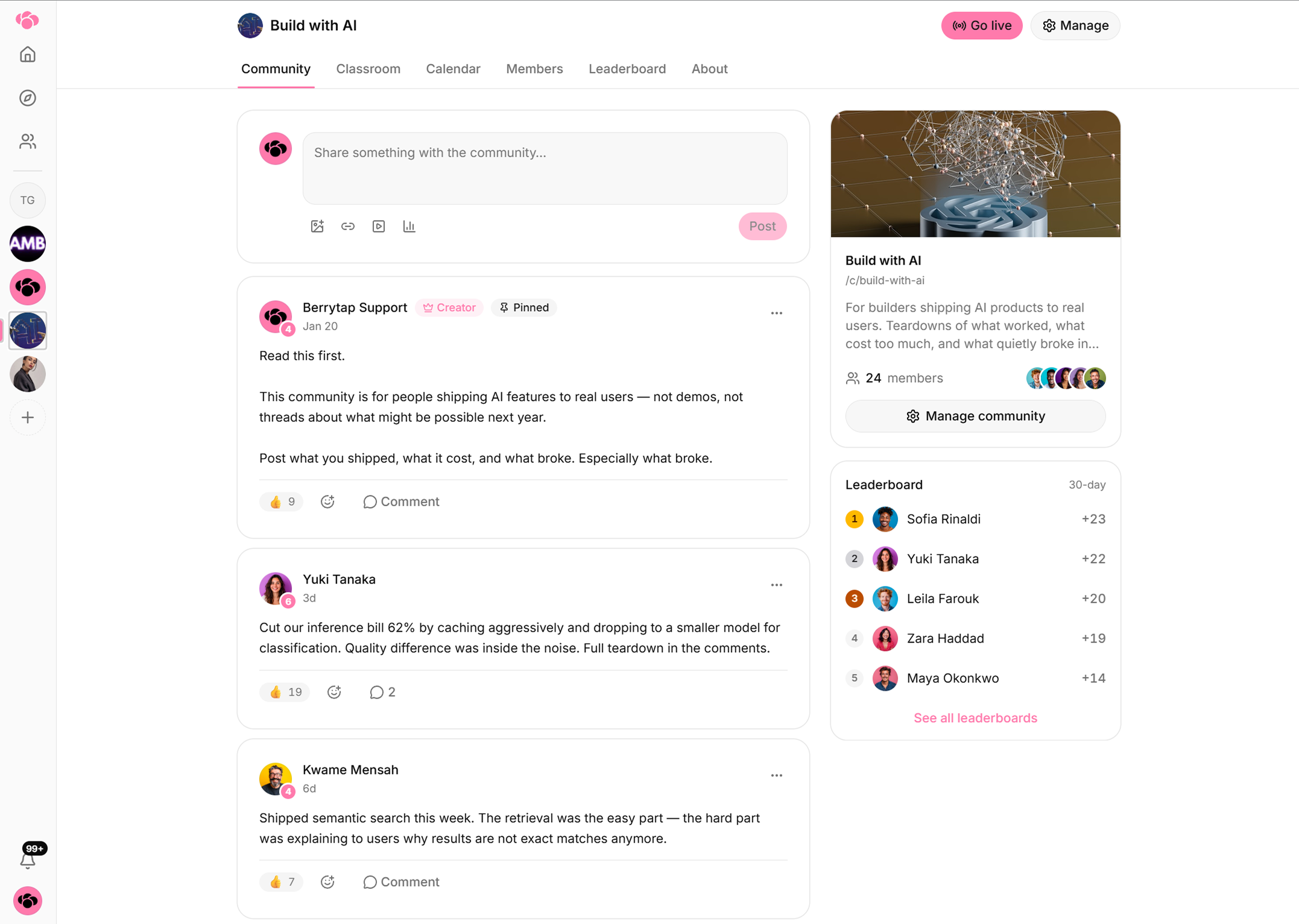
Холбоосоо тараахаасаа өмнө дулаахан, хувийн шинжтэй угтах нийтлэл оруулаарай. Идэвхтэй community-д ирсэн гишүүд үлдэх, бусдыг урих магадлал хамаагүй өндөр байдаг.
Community-н холбоосоо хуваалцана уу
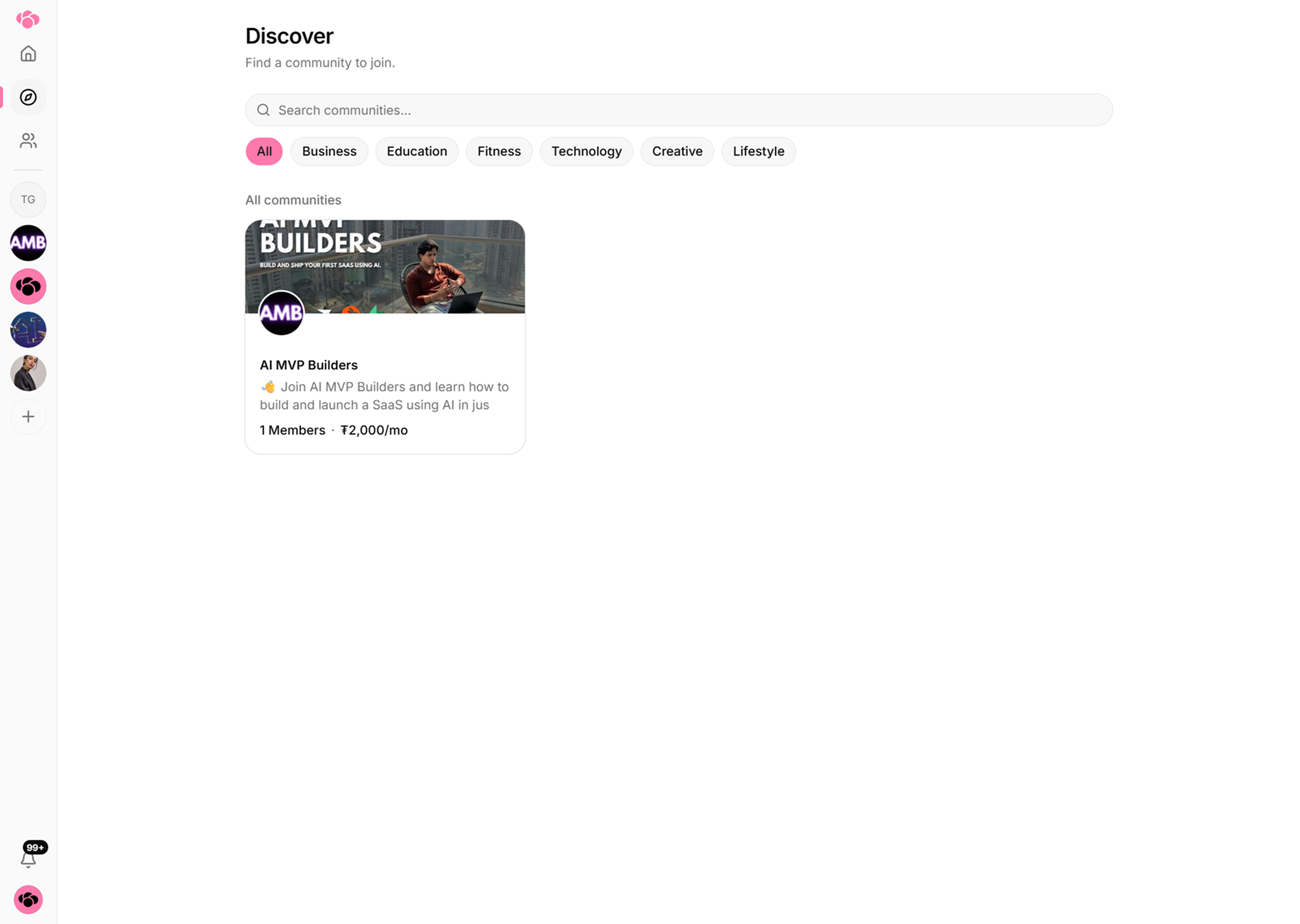
Community тань эхлээд Unlisted горимд байна. Шууд холбоостой хүн бүр орж чадах ч нийтийн Discover зах дээр харагдахгүй. Dashboard-оос community-н хаягаа хуулж аваад мэдээллийн товхимол, олон нийтийн сүлжээ, эсвэл үзэгчид тань аль хэдийн дагадаг газраа тараарай.
Berrytap-аар дамжуулан органик өсөлт авахыг хүсвэл Growth эсвэл Scale багц руу шилжээрэй. Тэгснээр community тань Discover зах дээр гарч, шинэ гишүүд шууд урилгагүйгээр таныг олох боломжтой болно.
Орлогоо аваарай
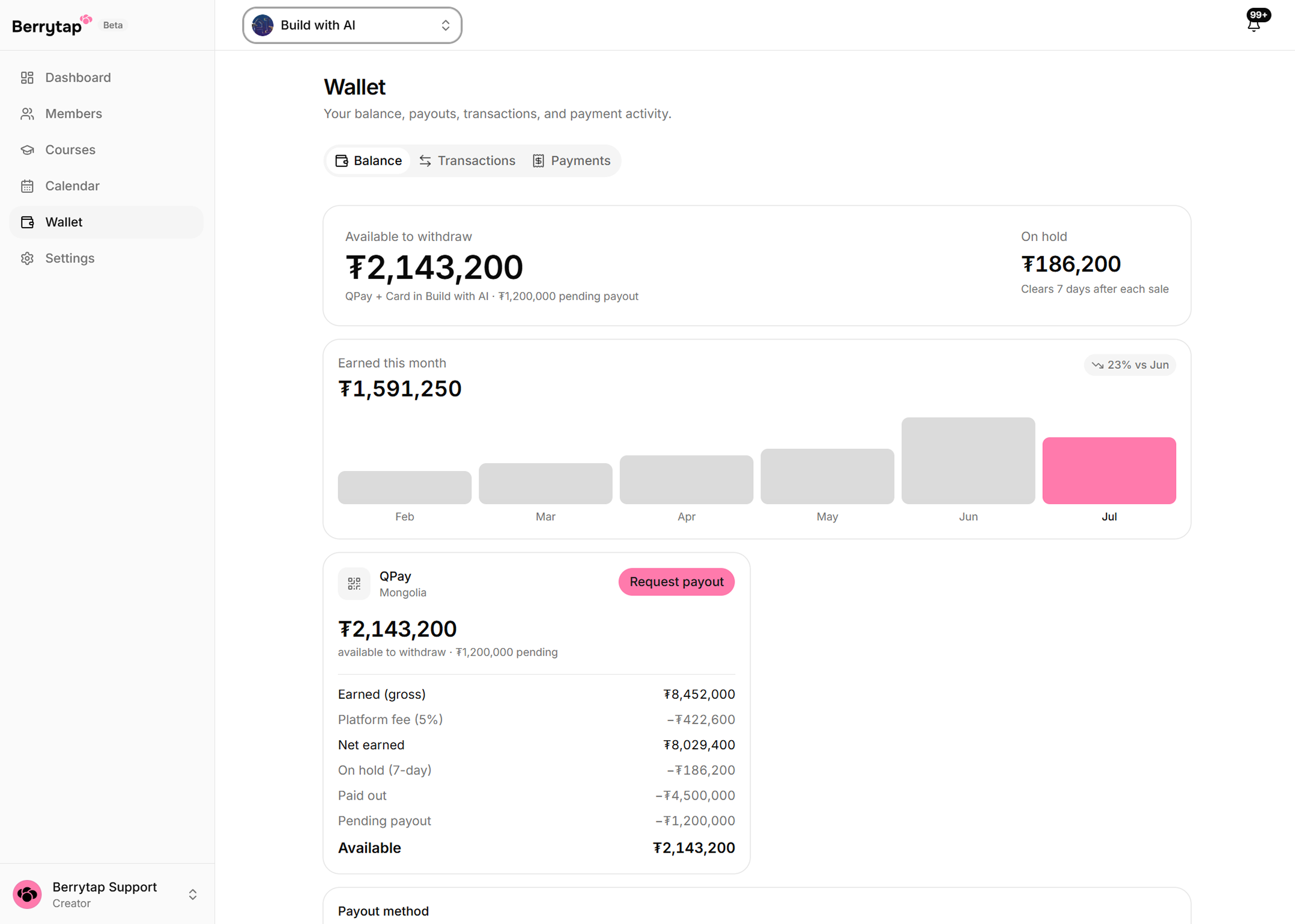
Гишүүн нэгдэж төлбөрөө төлөхөд гүйлгээ тэр дороо боловсруулагдана. Орлого тань 7 хоногийн хүлээлгийн хугацааны дараа Berrytap wallet-д бэлэн болно. Энэ богино хугацаа буцаалт, маргаанаас хамгаалдаг. Мөнгө бэлэн болмогц dashboard дээрээ Wallet хэсгийг нээгээд татан авах хүсэлт илгээнэ үү.
Анхны татан авах хүсэлтээ илгээхээс өмнө бүртгэл дээрээ хоёр шатлалт баталгаажуулалт (2FA) идэвхжүүлэх шаардлагатай. Account Settings → Security руу орж authenticator апп холбоод нөөц кодоо хадгалаарай. Энэ бол нэг удаа хийгээд өнгөрдөг, орлогоо хамгаалах алхам.