Membership Types, Pricing, Billing, and Cancellation
Learn how Berrytap membership types, subscription pricing, billing cycles, grace periods, and cancellation work for your community.
Berrytap gives you full control over how members access and pay for your community. Whether you run a free community, charge a recurring subscription, or sell lifetime access, every billing detail — from invoice generation to suspension — is handled automatically so you can focus on your content.
Membership types
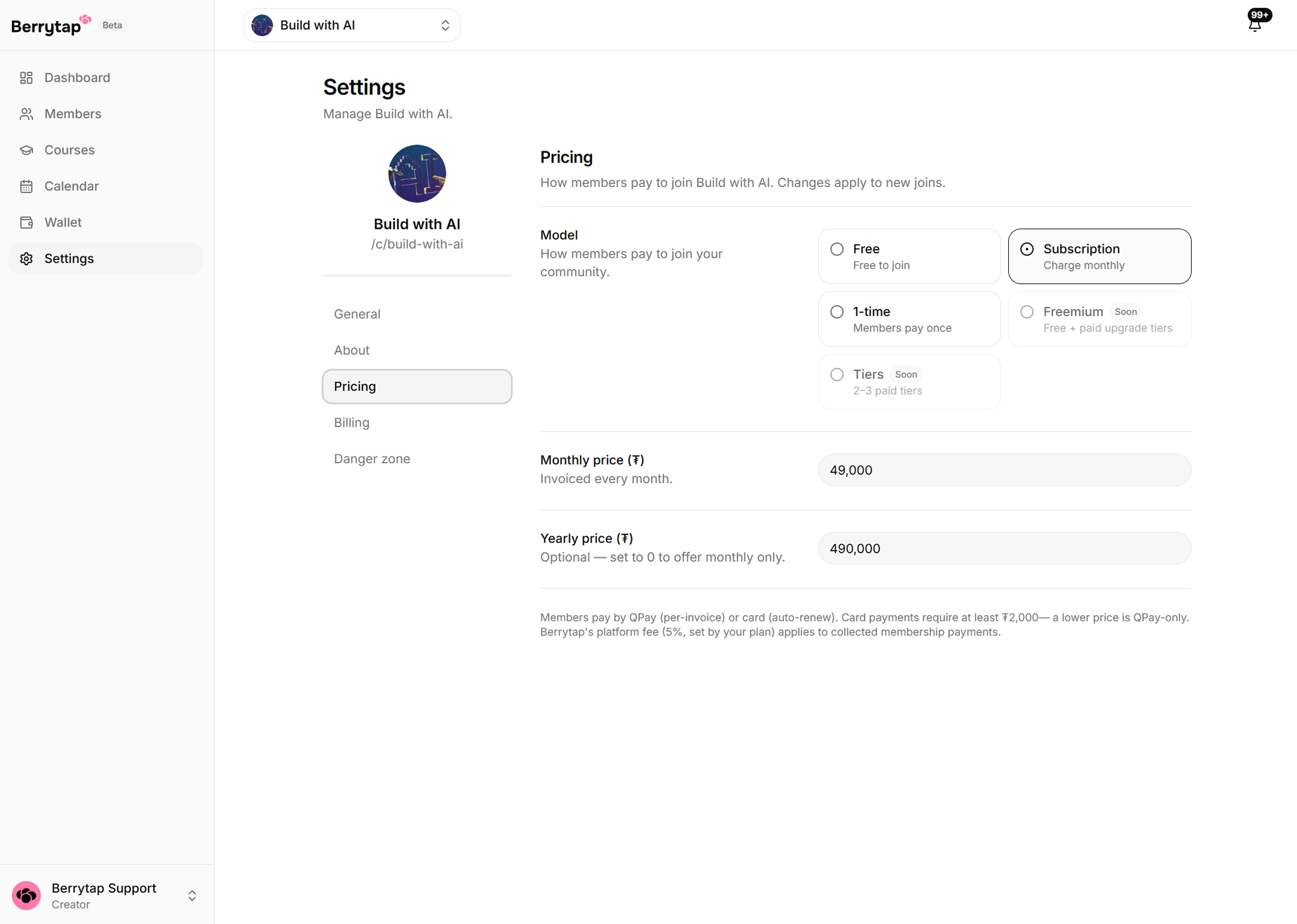
Choose the access model that best fits your community when you create it, or update it at any time from Dashboard > Settings > Pricing.
| Type | How it works |
|---|---|
| Free | Members join at no cost. No payment information is required. Great for building an audience before monetizing. |
| Subscription | Members pay on a recurring basis — monthly, yearly, or both. Access continues as long as their subscription is active. |
| One-time access | Members pay a single fee for permanent (lifetime) access. No recurring charges. |
Subscription pricing
When you enable subscription pricing, you set a monthly price as your base rate. You can optionally enable a yearly plan, which is automatically priced at 10× your monthly price — giving members the equivalent of two months free.
You configure pricing during community creation or update it at any time in Dashboard > Settings > Pricing. Changes to pricing apply to new subscribers; existing members keep their current rate until they change plans.
Offering a yearly plan increases upfront commitment from your most loyal members and gives you more predictable revenue. Many creators see a meaningful share of subscribers choose yearly when both options are available.
How billing works
Every billing period generates a discrete invoice for each active member. Here is what happens after an invoice is issued:
- The invoice is due within 7 days of the issue date.
- Reminder notifications are sent to the member on days 1, 3, and 5 if the invoice remains unpaid.
- Members paying by card are auto-charged by the platform on the due date — no action is required from them.
- Members paying via QPay receive the invoice and must pay it manually through the QPay checkout.
Grace period and suspension
If a member does not pay their invoice within the 7-day window, their membership is suspended and access to your community is immediately removed.
The member can cure the suspension at any time by paying the outstanding invoice. Once the payment clears, access is restored automatically. If they choose not to pay, their membership remains suspended until they do.
Cancellation
Members can cancel their subscription at any time from their account > Invoices. After cancelling:
- Access continues until the end of the current paid period — no access is cut early.
- No automatic refund is issued for the remaining time in the period.
- No further invoices are generated after cancellation.
Refunds are not issued automatically. If a member requests a refund, please contact Berrytap support and the team will review the request manually on a case-by-case basis.