Get Started with Berrytap: Launch Your Community Today
Create your paid community on Berrytap and invite your first members in minutes. No credit card required and no technical skills needed.
Berrytap makes it simple to launch a paid community around your expertise, content, or passion. Whether you're a coach, educator, or creator, this guide walks you through everything — from creating your account to receiving your first payout — in just a few steps.
Sign up at berrytap.com/register
Head to berrytap.com/register and create your account using an email address and password, or sign in with Google for a one-click setup. Once you register, Berrytap sends a verification email to confirm your address — click the link inside to activate your account. No credit card is required at this stage.
Create your community
After verifying your email, you'll be prompted to create your first community. Give it a name, choose a category that best describes your niche, upload a cover image, and write a short tagline so visitors instantly understand what you offer.
You'll also select your country during this step. Creators based in Mongolia are set up with QPay and prices in Mongolian Tögrög (MNT); everyone else uses card payments and USD. This choice determines your payment rail for all future transactions.
Your community's country and payout rail are locked at creation and cannot be changed later. Take a moment to confirm you've selected the right country before continuing.
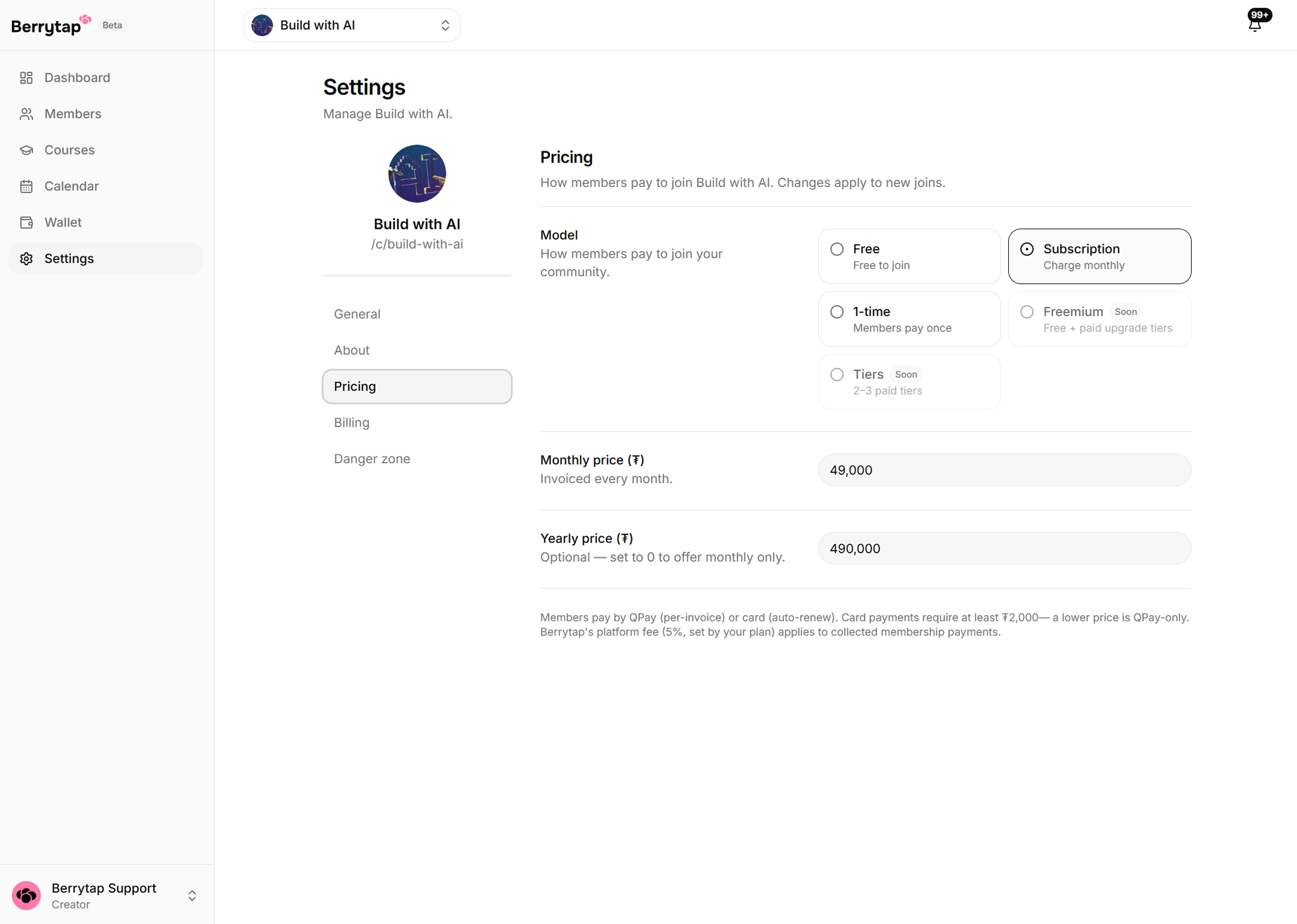
Set your pricing
Choose how members pay to join your community:
| Pricing model | What it means |
|---|---|
| Free | Anyone can join at no cost — great for building an audience |
| Monthly subscription | Members pay a recurring fee each month in MNT or USD |
| Yearly subscription | Set at 10× the monthly price, giving members 2 months free |
| One-time access | Members pay once for permanent access |
You can adjust your price at any time from your community settings.
Add your first content
Before you share your community link, give new members something to discover. Publish a welcome post to your community feed introducing yourself and explaining what members can expect. If you have a course in mind, head to the Courses tab and start building out your first module.
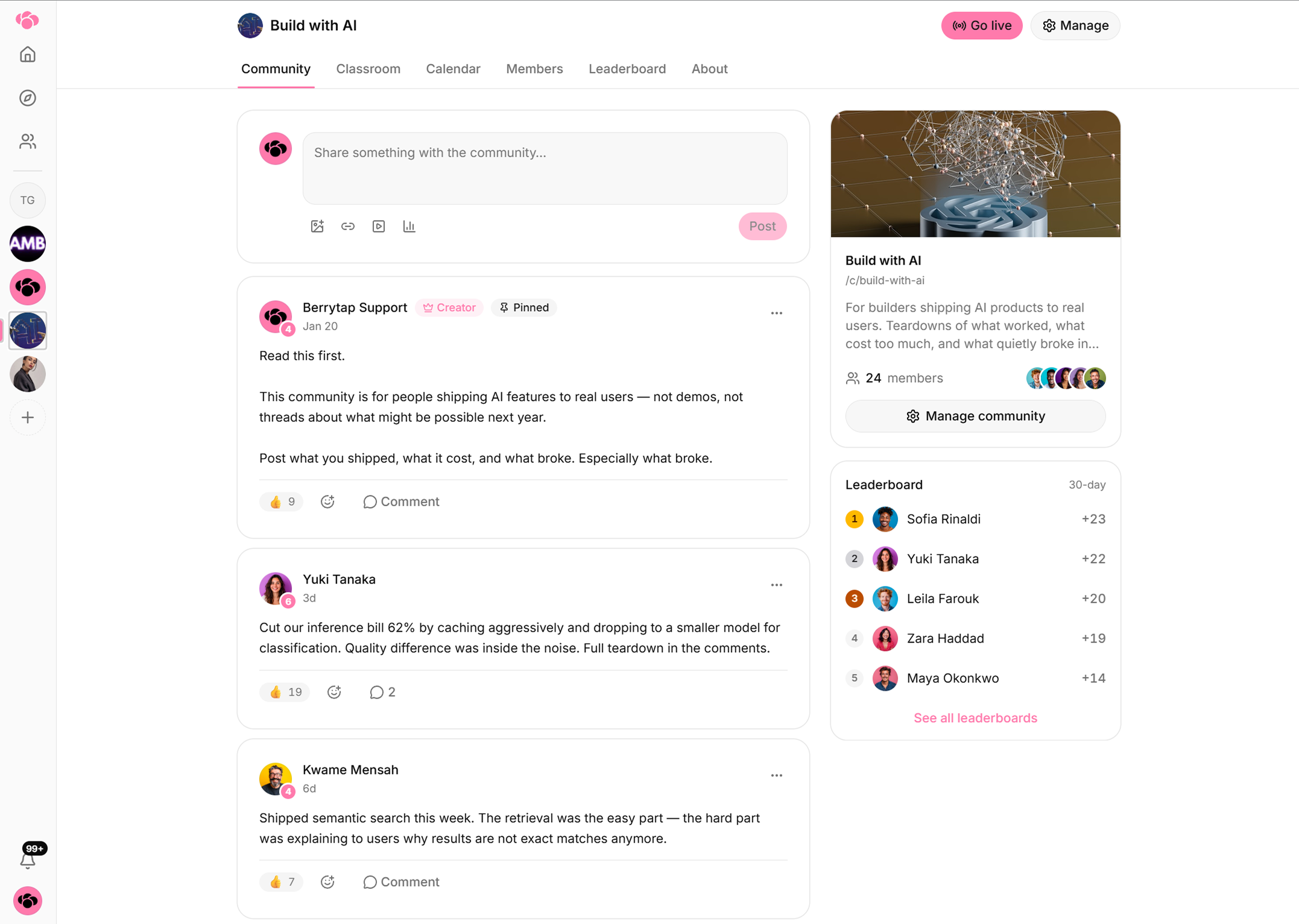
Publish a warm, personal welcome post before you share your link. Members who arrive to an active community are far more likely to stick around and invite others.
Share your community link
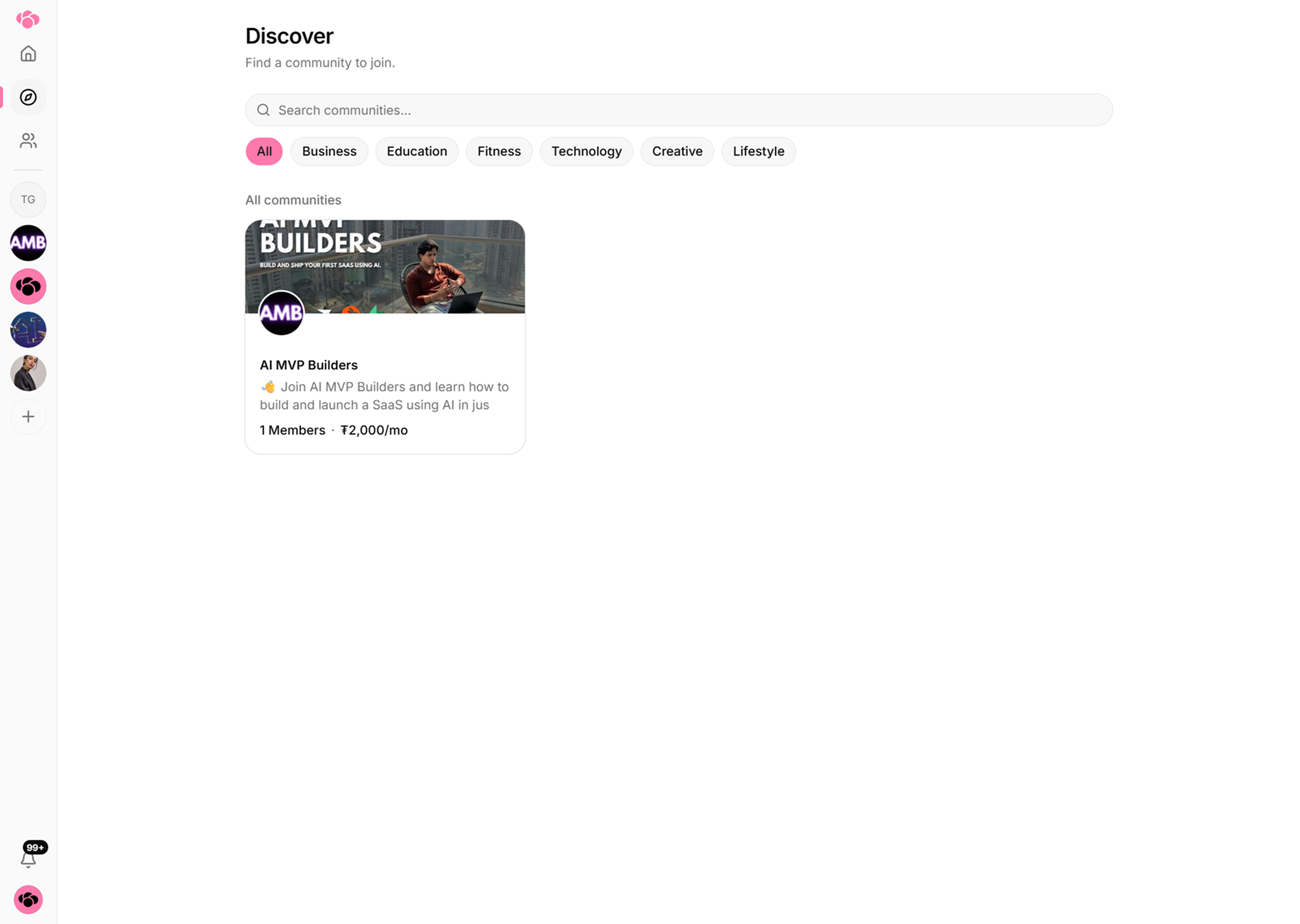
Your community starts as Unlisted — it's reachable by anyone who has the direct link, but it won't appear in the public Discover marketplace. Copy your community URL from the dashboard and share it in your newsletter, social profiles, or anywhere your audience already follows you.
Want Berrytap to help you grow organically? Upgrade to the Growth or Scale plan to have your community listed in the Discover marketplace, where new members can find you without a direct referral.
Get paid
When a member joins and pays, the payment is processed immediately. Your earnings appear in your Berrytap Wallet after a 7-day hold period — this short window protects against chargebacks and disputes. Once funds are available, go to your dashboard, open the Wallet section, and request a payout.
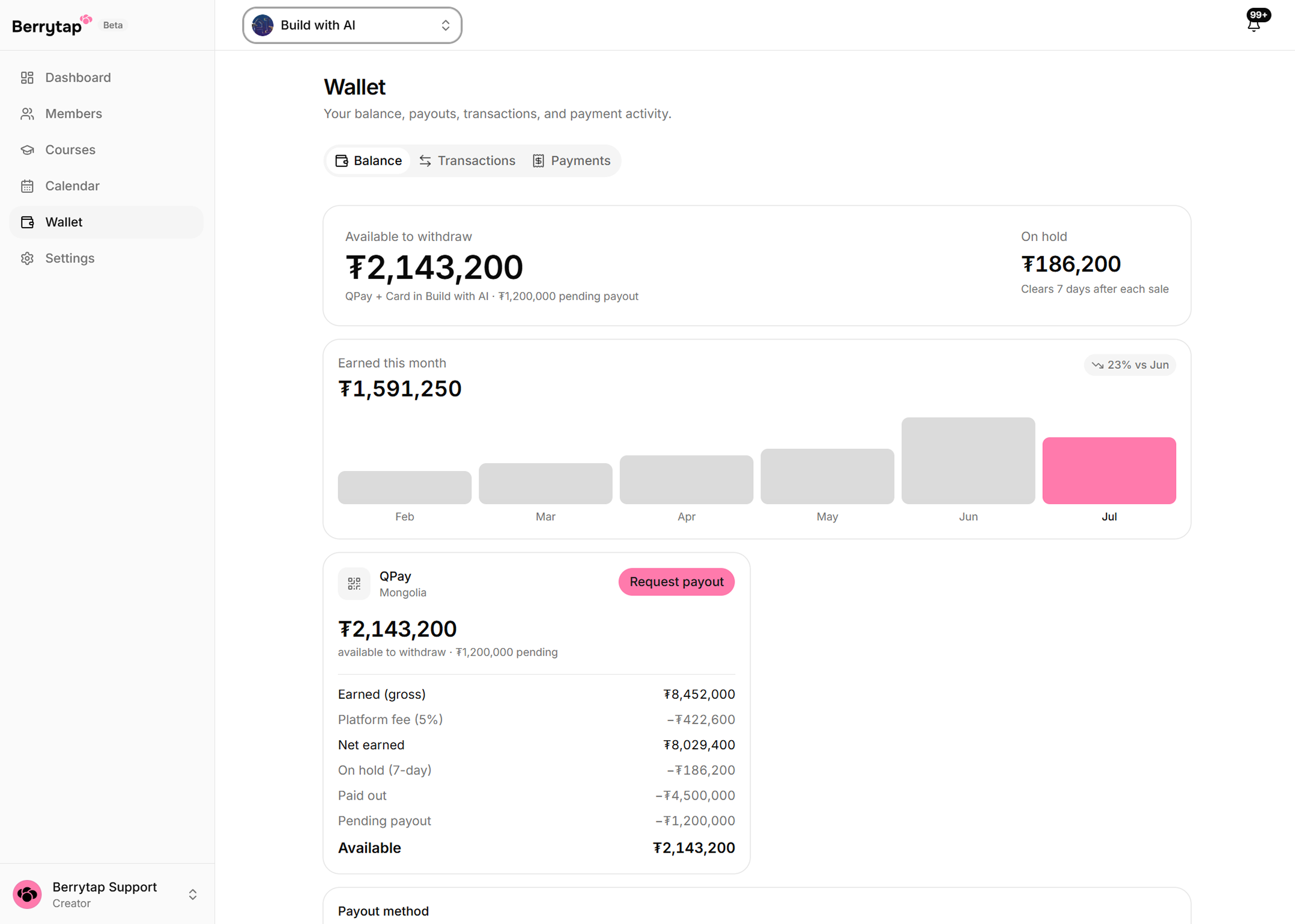
Before you can submit your first payout request, you'll need to enable two-factor authentication (2FA) on your account. Head to Account Settings → Security to set up an authenticator app and save your backup codes. This is a one-time step that keeps your earnings secure.