Creator Payouts: Mongolia and Stripe Connect Explained
Learn how to request a payout in Mongolia, how Stripe pays global creators automatically, and what requirements you need to meet before withdrawing.
Getting your earnings out of Berrytap works differently depending on which payment model your community uses. Mongolian creators request payouts manually from their dashboard and Berrytap transfers the funds to their bank. Global creators connected via Stripe are paid automatically on Stripe's schedule — no request needed.
How payouts work by model
| Model | How you get paid |
|---|---|
| Mongolia (QPay/MNT) | You request a payout from Dashboard > Earnings. Berrytap manually transfers the amount to your registered bank account and notifies you when it is marked paid. |
| Global (Stripe Connect) | Stripe pays you directly to your connected Stripe Express account on a schedule you configure in Stripe. Berrytap does not hold your funds and you do not need to request anything. |
Requesting a payout (Mongolia)
Follow these steps to request a payout from your Available balance:
Go to Dashboard > Earnings
Open your Berrytap dashboard and navigate to the Earnings tab for the community you want to pay out from.
Check your Available balance
Review your Available balance. Only matured earnings (past the 7-day hold) can be withdrawn. Pending earnings are not yet withdrawable.
Click Request Payout
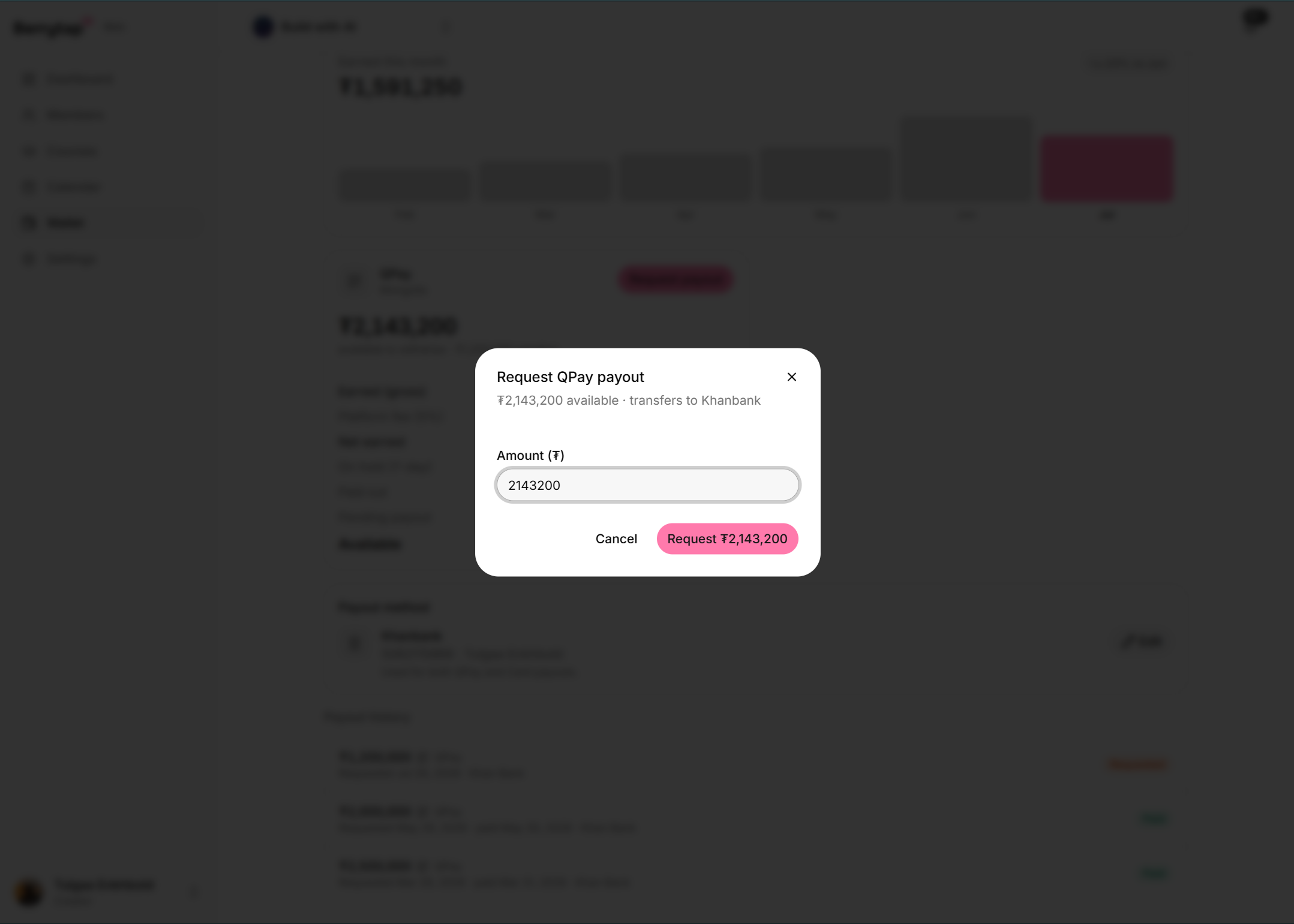
Click the Request Payout button. This opens the payout request form.
Enter the amount
Type the amount you want to withdraw. The amount cannot exceed your current Available balance.
Confirm with your 2FA code
Enter your two-factor authentication (2FA) code to authorise the request. 2FA is required for all payout requests to protect your funds.
Submit and wait for processing
Submit the request. Berrytap reviews and processes it manually, then transfers the amount to your registered bank account. You receive a notification as soon as the payout is marked paid.
Payout requirements (Mongolia)
Before you can request a payout, make sure you meet all of the following requirements:
- Registered bank account — your bank account details must be on file. You add these during community onboarding or at any time in Dashboard > Settings.
- Available balance — you must have a positive Available balance. Pending earnings cannot be withdrawn until the 7-day hold period passes.
- 2FA enabled — two-factor authentication must be active on your Berrytap account. You can enable it in Dashboard > Settings > Security.
You can update your payout bank account details at any time in Dashboard > Settings. Updating your bank account requires 2FA confirmation to prevent unauthorised changes.
Payout status
After you submit a payout request, you can track its status in Dashboard > Earnings > Payout History:
| Status | Meaning |
|---|---|
| Requested | Your request has been submitted and is awaiting manual processing by Berrytap. |
| Paid | The transfer has been completed and the funds have been sent to your bank account. |
Setting up Stripe Connect (global)
If your community is registered outside Mongolia, you need to connect a Stripe Express account to receive payouts. You can do this during community creation or at any time from Dashboard > Settings.
Start the Stripe Connect flow
In Dashboard > Settings, click Connect with Stripe. You are redirected to Stripe's onboarding flow.
Complete identity verification
Stripe collects your identity and banking information to meet regulatory and compliance requirements. This is handled entirely by Stripe.
Choose your payout schedule
Once verified, configure how often Stripe pays you out (daily, weekly, or monthly) directly in your Stripe Express dashboard.
Receive payouts automatically
After your account is connected and verified, Stripe pays you automatically. Berrytap deducts only its application fee at the time of each payment — the rest goes directly to you.
You cannot delete your Berrytap account if you have an unpaid wallet balance or a pending payout. Request a payout to bring your Available balance to zero and ensure any pending payout is completed before initiating account deletion.